
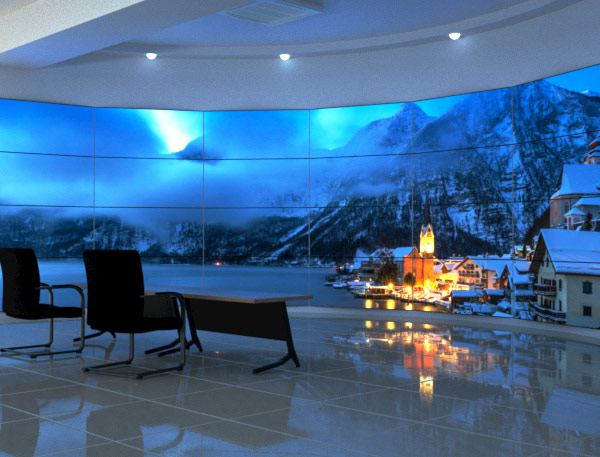
Video wall processors for education simulation and commercial display projects
A commercial display content editor often sees scenario words such as education, training, simulation, modeling, monitoring, and commercial display grouped beside the same product category. The useful question is not whether every scenario is a finished project case. The useful question is what each scenario suggests about display management: how many sources may appear, how information may be arranged, how layouts may change, and which technical conditions still need confirmation before a project description becomes a real system plan.
Education and training displays often need clear source arrangement rather than one large image only
A video wall processor for education and training display systems is best understood as a tool for arranging teaching-related visual sources across multiple screens, not as the learning platform itself. In a training room, the display wall may need to show a presentation feed, a camera feed, a software interface, a remote participant, or a reference image at the same time. The processor sits in the display path where signals are routed, scaled, combined, or assigned to different parts of the wall. That matters because education and training environments usually depend on visibility and sequence: learners need to compare materials, follow an instructor’s screen, or see supporting information without losing the main subject. This is different from treating the video wall as one oversized monitor. A single large image may work for a lecture slide or brand video, but many training rooms need parallel information. The content editor should therefore describe the scenario in terms of source arrangement and viewing purpose: whether the display supports side-by-side comparison, instructor-led switching, multi-group viewing, or repeated session layouts. FOLAIDA’s HDMI Video Wall Processor is positioned around display walls, monitor arrays, and video wall systems, with functions such as multi-signal processing, video wall splicing, matrix switching, scaling, preview, screen groups, and scene modes. Those terms can support education and training copy when they are tied to display management, but they should not be rewritten as a complete teaching software system, course platform, or proof of classroom deployment. The boundary is important because education projects vary widely. A small training room may only need several HDMI sources and a simple wall layout, while a command-style training facility may combine PC feeds, network video, and repeated display scenes. Industry-level video wall processing commonly involves source distribution, image scaling, and windowed presentation across multiple displays, but those general concepts do not determine the final screen count, interface mix, resolution behavior, or content workflow. For accurate writing, the scenario should lead to a display requirement statement, then leave the exact configuration to project design and specification review.
Simulation modeling and monitoring scenarios depend on information density and layout memory
Simulation training, modeling applications, and high-resolution video monitoring usually create a different reading of the same product category. These scenarios are less about simple presentation and more about information density. A simulator may need a main model view, instructor controls, telemetry, reference documents, and camera or sensor feeds visible in a coordinated arrangement. A monitoring environment may need many live feeds, status views, maps, or analytical screens distributed across a display wall. In both cases, the role of a video wall processor solution is to help organize multiple inputs into a controlled visual field, so operators or trainees can see the right information at the right scale. The value is not only the number of sources. It is also whether the display layout can remain understandable when content changes. Scene modes and screen groups are relevant because training or monitoring work often repeats: one layout may support demonstration, another may support analysis, and another may support review. FOLAIDA lists scene modes and screen groups for its HDMI Video Wall Processor, including references to multiple display wall settings and scene storage. For a content editor, that can be described as a way to discuss recurring layout needs in simulation, modeling, or monitoring environments. It should not be stretched into a claim that a particular simulator, government project, surveillance system, or modeling platform has already been completed or validated. Compatibility language also needs care in these scenarios. Multi-display environments can be affected by resolution negotiation, source formats, display compatibility, and interface behavior. A processor may list HDMI, VGA/YPbPr, IP streaming input, DVI output, HDMI output, HDCP, and 4K-related parameters, but a project still has to confirm which sources, resolutions, refresh rates, display devices, and signal paths will be used together. In content terms, “simulation training” and “high-resolution monitoring” are application signals. They suggest dense layouts, mixed sources, and repeatable display scenes. They do not by themselves prove real-time performance under every signal condition, complete 4K behavior across every path, or suitability for a regulated industry environment.
Commercial display projects connect video wall processor solution language with presentation control
Commercial display projects often use a video wall processor solution to connect brand content, live input, scheduled presentation, and multi-screen visual design. The requirement is usually less technical on the surface than simulation or monitoring, but it still depends on display control. A shopping mall, exhibition area, enterprise lobby, entertainment venue, or public display space may need a large unified image at one moment and multiple content regions at another. The processor becomes part of the system that lets the display wall shift between immersive visuals and information-rich layouts.
- Multi-source presentation: Commercial display content may come from media players, PCs, cameras, or other signal sources. A processor that supports matrix switching and multi-signal handling can be discussed as helping route those sources to the wall, while the exact source count and interface combination still depend on the project configuration.
- Layout-based messaging: A display wall may need a full-screen visual for impact, then separate regions for a product video, schedule, wayfinding, or live event feed. This is where windowed display and scaling language becomes useful, as long as the writing stays focused on presentation structure rather than promising a specific design result.
- Scene changes for repeated uses: Commercial spaces often reuse display formats for opening hours, events, announcements, or promotional cycles. Scene mode language can explain why stored arrangements matter, but it should not become a claim about automation software, scheduling capability, or content management unless those functions are specifically documented.
- Display wall management across zones: Some projects use more than one screen group or visual zone, especially in larger venues. Screen group language can help editors explain how a processor may support different wall arrangements, while final topology, display count, and signal routing remain project-specific conditions.
This scenario-based wording is more useful than saying a processor is simply “for commercial display.” The phrase becomes meaningful only when it points to display behavior: more than one source, more than one layout, and more than one presentation state. FOLAIDA’s product information includes commercial display, entertainment, government projects, enterprise projects, education and training, simulation training, modeling, high-resolution video monitoring, and graphics-intensive applications as application areas. These are suitable as scenario references for explaining possible display management needs. They should remain application signals, not completed case studies, certification claims, or guaranteed deployment outcomes.
Conclusion
Video wall processors are easier to explain when each project scenario is translated into a display need. Education and training usually point to clear source arrangement. Simulation, modeling, and monitoring point to dense information layouts and repeatable scenes. Commercial display projects point to presentation control across sources, layouts, and display zones. A video wall processor solution can support these conversations, but final conclusions still depend on project conditions, interface choices, display layout, resolution behavior, and system testing. For readers comparing scenarios, the next useful step is to study the application and function range of the FOLAIDA HDMI Video Wall Processor as a product example, while keeping configuration claims specific and conservative.
FAQ
Q:How do video wall processors support education and training display systems?
A:They support education and training display systems by helping arrange multiple visual sources across a video wall, such as instructor screens, presentation content, camera feeds, reference material, or software interfaces. The processor does not create the learning content itself; it helps manage how signals are routed, scaled, combined, and displayed so the training room can present information clearly.
Q:Can a video wall processor solution be used for simulation training and modeling applications?
A:A video wall processor solution can be relevant to simulation training and modeling applications when the project needs dense visual information, multiple input sources, screen groups, or stored display scenes. The exact suitability still depends on source formats, interface combinations, resolution requirements, display layout, and the system design used in the specific simulation or modeling environment.
Q:Does a listed commercial display scenario prove a completed project case?
A:No. A listed commercial display scenario should be read as an application area or use-case direction, not as proof of a completed project, industry certification, or verified deployment result. It can help explain why a processor may be relevant to commercial display layouts, but project evidence requires separate case details, configuration records, acceptance results, or other supporting documentation.
