
What is a Panoramic Splicing Processor? Eliminate Screen Fragmentation for Immersive Visual Experience
Most users who build multi-screen workstations, creative audio-visual walls, or commercial display large screens encounter the same common challenges: screen fragmentation, vertical misalignment, blurry vertical display, and noticeable splicing gaps. Ordinary screen splitters only deliver basic screen segmentation and cannot solve core problems such as pixel-level alignment, adaptive screen rendering, and inconsistent color performance. Even after lengthy manual debugging, the final display still appears fragmented and disjointed. As a professional video processing device, a panoramic splicing processor effectively solves all multi-screen splicing pain points, merging multiple independent displays into a single high-definition, continuous, and seamless ultra-large visual canvas.
Different from ordinary screen splitters and video splitters, the panoramic splicing processor is a dedicated core device for multi-screen fusion display. It intelligently adapts to various high-definition signal sources including computers, game consoles, monitoring systems, and audio-visual players. Powered by four core technologies — edge blending, geometric correction, color synchronization, and hardware-level screen rotation — it achieves pixel-level precise alignment for multi-channel video signals, automatically correcting image distortion, color deviation, and position offset. It supports horizontal screen, vertical screen, L-shaped, and special-shaped splicing scenarios, widely applied in home creative studios, enterprise command centers, digital exhibition halls, supermarket advertising walls, and security monitoring rooms.https://folaida.com/product-item/video-wall-processor/
1. Common Multi-Screen Splicing Limitations of Ordinary Devices
An increasing number of designers, programmers, and audio-visual enthusiasts use idle monitors and second-hand screens to build personalized multi-screen workstations and entertainment setups. The niche L-shaped vertical screen splicing layout features high space utilization and a wider field of view, perfectly suited for design drawing, code programming, video watching, and family entertainment. However, most users face typical drawbacks with conventional equipment:
-
Horizontal signals imported to vertical screens result in stretched, blurry, and disproportionate images with no full-screen adaptation
-
Obvious splicing gaps cause severe screen fragmentation and stuttering in dynamic video playback
-
Inconsistent brightness and color across multiple screens lead to uneven visual effects
-
Complicated debugging procedures require circuit modification, graphics card replacement, and complex driver installation, unfriendly for beginners
-
Independent image scaling and positioning are unavailable, causing messy layout and lagging switching during multi-window operation
The core issue is that ordinary splitters only support basic screen segmentation and lack hardware-level rotation and pixel-level fusion calibration capabilities, failing to meet high-precision and personalized multi-screen splicing demands. A panoramic splicing processor is a must-have device to achieve seamless and consistent multi-screen display.
2. Core Advantages of Panoramic Splicing Processors: Ultra HD Seamless Multi-Screen Experience
We built a custom L-shaped vertical screen workstation with one 4K monitor and two second-hand LCD screens. After upgrading to a panoramic splicing processor, all traditional splicing flaws were completely eliminated. No complex modification is required — plug-and-play operation delivers professional seamless splicing results effortlessly.
2.1 Hardware 90-Degree Rotation, Crystal-Clear Vertical Screen Display
This is the core advantage that distinguishes it from ordinary splitters. The device supports one-click hardware-level horizontal and vertical screen switching with no software adaptation or system debugging needed. It accurately converts standard horizontal HD signals into vertical screen output, fundamentally eliminating image stretching, blurriness, and proportion imbalance. It preserves complete image details and delivers native high-definition vertical visual effects.
2.2 Independent 4-Channel Output, Flexible Image Layout
The processor supports independent output and adjustment for each signal channel, allowing separate modification of scaling ratio, display position, brightness, and color for every screen. It flexibly adapts to both unified ultra-large canvas splicing and independent split-screen display. For daily work, it enables simultaneous display of code editors, reference materials, and preview windows. For design work, it fully renders A4 documents and high-resolution creative resources. The smooth sliding operation brings an immersive experience of using one giant ultra-high-definition screen.
2.3 Edge Blending & Calibration, Invisible Splicing Gaps
Equipped with professional edge blending and geometric correction algorithms, it precisely fixes image overlap, missing pixels, and offset at screen joints. Pixel-level alignment eliminates screen fragmentation and disjointed visual perception completely. Meanwhile, the global color synchronization technology unifies the brightness, color temperature, and saturation of all displays, ensuring highly consistent color performance across the entire multi-screen wall.
2.4 Driver-Free Plug-and-Play, High Compatibility & Stability
No graphics card replacement, circuit renovation, or driver installation is required. It is fully compatible with Windows, macOS, Android, and other mainstream systems, and supports hot-swapping. The device recognizes signals instantly and starts up in seconds. It runs stably long-term with no stuttering, black screens, or flickering. It serves multiple scenarios perfectly, including professional creation, office work, audio-visual entertainment, and family video playback with sustained ultra HD output.
3. Wide Application Scenarios: Ideal for Home & Commercial Use
The panoramic splicing processor balances lightweight home use and high-precision commercial standards, covering almost all multi-screen display scenarios:
-
Home Creative Studio: L-shaped vertical and multi-screen splicing boosts efficiency for programming, graphic design, video editing, and multi-task office work
-
Immersive Audio-Visual Entertainment: Ultra-wide spliced screens deliver borderless vision for gaming and movies, maximizing immersive experience
-
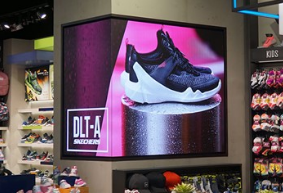
Commercial Display Solutions: Seamless splicing for digital exhibition halls, shopping mall advertising walls, and store display screens to present high-end brand visuals
-
Government & Security Monitoring: Synchronized multi-screen linkage for command centers and monitoring rooms ensures zero-delay and full-coverage monitoring vision
4. Conclusion: Choose the Right Device for Premium Multi-Screen Splicing
Many users mistakenly believe that multi-screen display only requires stacking multiple monitors. In fact, signal processing and image calibration determine the final visual quality. Ordinary splitters only realize “multiple separate screens”, while panoramic splicing processors achieve true “panoramic fusion”. With core strengths including hardware-level rotation, pixel-level alignment, synchronous color output, and driver-free stability, it thoroughly solves common pain points such as blurry vertical screens, screen fragmentation, inconsistent color, and complicated debugging.
Whether you aim to build an efficient home creative workstation, immersive private audio-visual space, or professional commercial splicing screen system, the panoramic splicing processor delivers cost-effective and highly adaptive performance. It achieves true WYSIWYG (What You See Is What You Get) visual effects, maximizes the value of every display, and unlocks a brand-new high-quality multi-screen visual experience.
FAQ
Q1: Does the panoramic splicing processor require professional debugging?
A: No professional debugging is needed. It features driver-free plug-and-play and supports one-click screen rotation and automatic color calibration, friendly for novice users.
Q2: Can it fix blurry images on vertical spliced screens?
A: Yes. The hardware-level 90-degree rotation technology converts signals professionally without compression or distortion, keeping vertical screen images ultra-clear.
Q3: Is it compatible with all mainstream systems and devices?
A: It is widely compatible with computers, game consoles, monitoring equipment, Windows, macOS, Android and more, with strong scalability and stability.
Related Links
Video Wall Processor- Explore advanced video wall processor options designed for seamless HD display control and management.
LCD Video Wall Solution- Discover comprehensive LCD video wall solutions that complement high-resolution processor technology.
HDBaseT Matrix Switcher- Learn about HDBaseT matrix switchers that enhance signal distribution for large venue displays.
Certificates- Verify compliance and safety standards with certified video wall processor products.
FAQ- Find answers to common questions about video wall processors and related digital signage technology.

