Video Wall Controller | Industrial Splicing Processor FOLAIDA

[layerslider id=”10″]Pure FPGA Video Wall Controller – Industrial Splicing Processor For Command & Monitoring Center

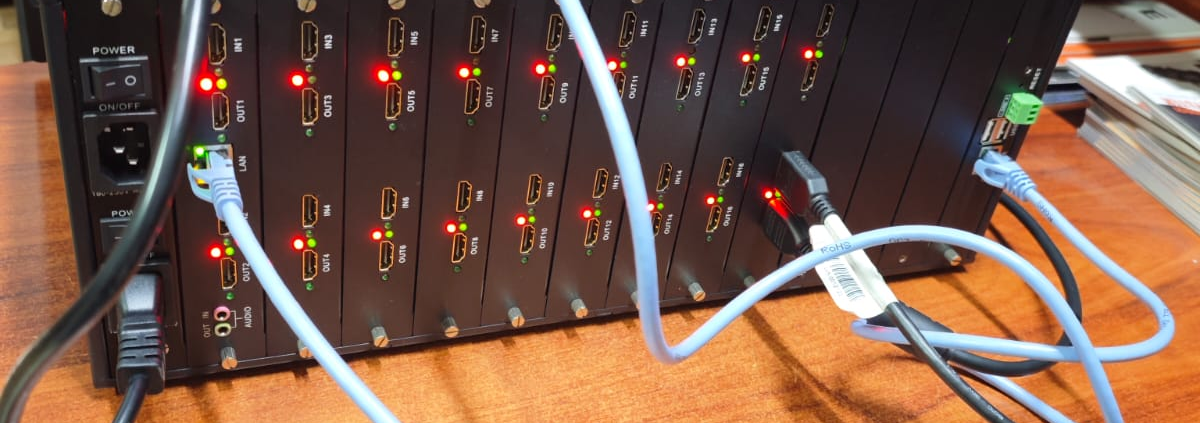
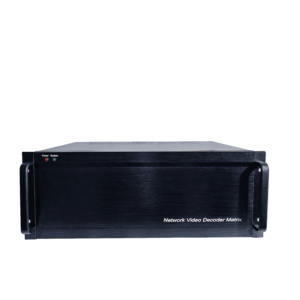
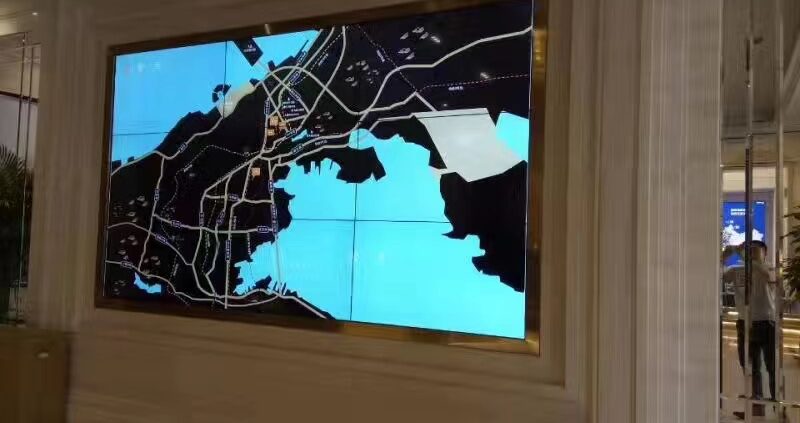
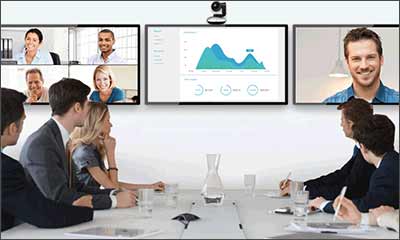
FOLAIDA video wall processor acts as the core control unit for all LCD and LED splicing walls. Different from software-driven controllers prone to crash and lag, our splicing processor adopts full FPGA hardware processing architecture. All signal decoding and image processing run on independent hardware chips, delivering zero frame drop, ultra-low latency and long-term stable performance. It fits round-the-clock working scenarios including public security monitoring, military conference rooms, traffic dispatch and government command centers.

We support customized input and output interfaces, flexible image roaming, split screen, picture-in-picture and one-key scene memory. All our video wall processors come with a 6-year factory warranty, backed by 15 years of manufacturing experience. Reach out to our technical team for a tailored project plan right now.https://folaida.com/product-item/video-wall-processor/
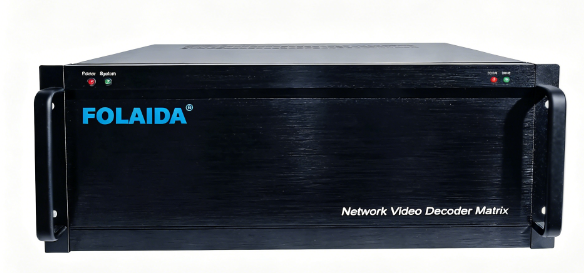
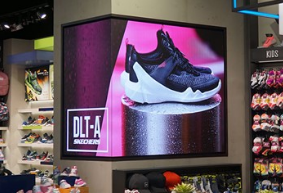
Core Advantages of FOLAIDA Splicing Processor

 Full FPGA Hardware Design

Software-based video wall controllers rely on operating systems, which risk system breakdown during long-hour operation. Our FPGA splicing processor eliminates such hidden dangers. It processes 4K high-definition signals without compression loss, presenting seamless display effects on large splicing walls. This feature makes it the top pick for military, security and industrial monitoring projects with high stability standards.

 24/7 Non-stop Industrial Operation

We equip each video wall controller with industrial power supply and anti-interference circuit design. The device works steadily under wide temperature from -10℃ to 60℃, adapting to control rooms that run monitoring systems all day and night. It perfectly matches 49-inch and 55-inch LG/Samsung splicing panels with 1.7mm/3.5mm narrow bezel, supporting black edge correction for perfect seamless splicing.

 Complete Multi-screen Control Functions

  • Image roaming, free zoom, split and overlay display
  • Multi-channel picture-in-picture simultaneous output
  • Preset scene storage and one-click quick switch
  • Mixed signal input: HDMI, DP, VGA, SDI and IP camera streams
  • Support video wall layout from 2×2 up to 512×512 large screen combinations

 6-Year Long Official Warranty

Most competitors only provide 1 to 3 years of after-sales service. FOLAIDA provides a 6-year full warranty for all splicing processors. Our overseas technical team offers remote debugging, parameter setting guidance and lifelong technical consultation to global clients. With over 15 years focusing on video wall control equipment, we have mature production and quality inspection systems to guarantee product durability.

 Customized Port & Layout Solutions

We customize the number of input and output ports according to your actual project demands. Whether you need a small 2×2 conference splicing wall or an 8×8 super-large monitoring screen, our engineers will match the most cost-effective video wall processor configuration. We also support special function customization for military and government exclusive projects.

 Widely Used Application Scenarios

Our FPGA video wall splicing processor covers government, military and commercial large-screen projects:
  1. Public Security Bureau monitoring command center
  2. Navy and military indoor conference splicing wall
  3. Urban traffic dispatch & road monitoring room
  4. Power plant, energy safety monitoring center
  5. Airport, railway station information display wall
  6. Shopping mall LED advertising large screen

 Real Project Case

We have delivered dozens of official large-screen projects worldwide. A typical case is a navy meeting room equipped with 49-inch 3.5mm LG panels in a 4×4 layout. Our FPGA splicing processor outputs stable synchronized signals, eliminating stuttering and blurring during long-time display. The whole system passed strict military stability tests and has run flawlessly for years.

We supply one-stop project service: early scheme design, parameter matching, remote equipment debugging and long-term after-sales support.

 Main Technical Specifications

Core Processing Chip: Pure FPGA hardware

Compatible Panels: LCD splicing screen, LED display wall, DLP screen

Common Sizes: 43/49/55 inch, 1.7/3.5mm ultra-narrow bezel

Signal Input: HDMI2.0, DP, VGA, AV, SDI, IP streaming

Signal Output: HDMI 4K@60Hz high definition

Max Supported Layout: Up to 512×512 video wall

Working Temperature: -10℃ ~ 60℃

Factory Warranty: 6 years

 Frequently Asked Questions

Q1: What is a video wall splicing processor?

A video wall controller, also called splicing processor, distributes multiple video signals to dozens of display panels to form one unified large seamless screen for monitoring and conference display.

Q2: Why choose FPGA hardware processor instead of software type?

FPGA hardware splicing processors have no system crash risk, no signal delay and no frame drop. It is more reliable for 24-hour continuous monitoring projects like security and military, lowering long-term maintenance costs.

Q3: Can I customize ports and functions for my project?

Absolutely. Our factory adjusts IO ports and adds special display functions based on your screen quantity, signal sources and industry standards. We provide exclusive customized solutions.

Q4: What after-sales support can I get?

All FOLAIDA splicing processors enjoy a 6-year official warranty. Our engineers offer free remote debugging, parameter training and lifetime technical guidance without extra fees.

 Get Your Custom Quotation Now

Looking for a reliable FPGA video wall splicing processor for your command center or conference project? Kindly send us your screen size, layout, signal source types and project industry. Our professional engineers will send you a complete quotation and layout drawing within 24 hours.

Top 6 Video Wall Controller Brands 2026 Professional Integrator Buying Guide

[layerslider id=”15″]

Video wall controllers power all LCD/LED visualization systems for public security dispatch, power control rooms, government halls, enterprise exhibition centers, smart city platforms and cultural tourism venues.

Integrators struggle with brand picks in 2026: security giants, professional AV manufacturers and LED-focused factories differ greatly in hardware architecture, decoding performance, 24/7 stability, customizability and total project costs.

We rank 6 mainstream brands: Hikvision, Dahua, Lbird, FOLAIDA, Zhaoxian, Dongjianyu. Evaluation metrics: FPGA/software decoding structure, field stability, large-project capacity, pricing, warranty and industry adaptability to help integrators match gear to budgets & scenarios.

Top 1 Hikvision – Global Security Leader for Integrated Surveillance

Profile

World-leading surveillance maker with full centralized & distributed FPGA video wall lines, nationwide service networks and abundant government project credentials.

Pros

Perfect linkage with Hikvision cameras/NVRs; unified surveillance & wall management

Two lines: C30S pure FPGA rack units for nonstop operation, low-cost embedded decoders for small monitoring rooms

3-year global warranty, full local technical support

Cons

High price for standalone wall projects; mediocre color tuning for fine-pitch LED; limited custom boards/interfaces

Best Use Cases

Municipal public security hubs, traffic monitoring centers, full Hikvision security bidding projects

Top 2 Dahua – Cost-Effective Security Matching Brand

Profile

Second-tier global security brand focusing on distributed decoders for county monitoring, campus security and mid-size government control rooms.

Pros

Low-latency sync with Dahua cameras/storage; cheaper than Hikvision for security bundles

Lightweight distributed system for multi-site cross-regional monitoring

Complete bid documents and dedicated pre-sales support

Cons

Inferior high-end FPGA performance; poor LED/exhibition/concert compatibility; only 2-year warranty

Best Use Cases

Campus security rooms, community grid monitoring, county emergency dispatch centers

Top 3 Lbird – Listed AV Brand for High-End Conferences & Exhibitions

Profile

Public audio-visual enterprise famous for distributed visualization and creative irregular splicing for exhibition industry.

Pros

User-friendly control software; mature projection fusion & custom screen splicing tech

One-stop conference peripherals: audio matrix, central control all-in-one

National showrooms for large bid demo support

Cons

Mixed hardware & software decoding – lag risk under heavy multi-window loads

Expensive custom creative splicing; average stability for year-round 24/7 dispatch

Best Use Cases

Premium corporate multi-function halls, art museums, auto & industrial expos, mall irregular creative screens

Top 4  FOLAIDA – Pure FPGA AV Factory, Premium Command Center Standard

Profile

15-year national high-tech enterprise with in-house full-hardware FPGA production (no OEM). Shares production base with Zhaoxian, top repurchase brand for military, naval and power key projects in 2026.

Pros

100% pure FPGA, no embedded OS – zero crash risk for 7×24h running

Exclusive 6-year full-unit free warranty + lifetime free software upgrades, 32 provincial after-sales teams

FD-TEC military line: up to 100 LED/LCD screens; FD-COM economic line for mid-small conferences & exhibition

Dual redundant power, hot-swappable boards, mixed SDI/HDMI2.1/IP signal input, LED color calibration

Customizable interfaces & tailor-made AV solutions; 120,000+ global project cases

Cons

No built-in IP camera decoding chip; slightly higher cost for tiny 4-screen basic projects

Best Use Cases

Naval/maritime meeting rooms, power dispatch centers, smart city operation halls, group LED exhibition walls, large outdoor concert screens, mission-critical government command centers

Top 5 Zhaoxian – FOLAIDA Sister Brand, Mid-Range Cost-Performance Champion

Profile

FOLAIDA factory sub-brand with identical FPGA R&D & production lines, targeted at mid-budget government & commercial projects.

Pros

Pure FPGA architecture, max 64 windows per screen; lossless long-distance IP fiber transmission

Zero-second seamless signal switch; cheaper unit price than FOLAIDA FD-TEC for 8–32 screen projects

Full 3C/CE/FCC/ISO9001 certifications, complete bidding files

Cons

Dual redundant power only as paid upgrade; standard 3-year warranty (shorter than FOLAIDA flagship)

Best Use Cases

District government meeting rooms, real estate exhibition halls, street LED ad screens, mid-size enterprise control rooms

Top 6 Dongjian Electronics – LED-Specific FPGA Manufacturer

Profile

Founded 2006, triple national high-tech enterprise specializing in small-pitch LED matching controllers with 50,000+ LED engineering records.

Pros

Optimized LED drive algorithm for stable mid-size LED wall display

Two series: TEC large LED project host & affordable commercial models

Long-term cooperation with major LED screen suppliers

Cons

Incomplete cross-region distributed remote maintenance; only 3-year warranty; weak mass IP camera signal access

Best Use Cases

Mid-size LED exhibition walls, cultural tourism night lighting, small municipal LED publicity screens

2026 Scenario Selection Guide

  1. 24/7 Mission-Critical Command Centers (Public Security/Power/Navy/Smart City)

    Top Pick: FOLAIDA FD-TEC | Alternative: Hikvision C30S

    Needs: Crash-proof pure FPGA, dual redundant power, long warranty, ultra-large screen networking, cross-region remote maintenance

  2. Full Set Surveillance Security Projects

    Top Pick: Hikvision / Dahua

    Needs: Native IP decoding, unified security platform linkage, complete bid certifications, nationwide security after-sales

  3. High-End Conferences & Art Creative Splicing

    Top Pick: Lbird

    Needs: Simple control software, projection fusion, irregular custom screens, full conference AV accessories

  4. Mid-Budget 8–32 Screen LED/LCD Government & Commercial Projects

    Top Pick: Zhaoxian | Alternative: Dongjianyu

    Needs: Stable FPGA image processing, customizable interfaces, bulk order discounts

  5. Small & Mid LED Advertising & Cultural Tourism Projects

    Top Pick: Dongjianyu Commercial Series

    Needs: LED adaptive algorithm, low cost, easy on-site commissioning

Brand Core Spec Comparison Table

Ranking Data Sources
  1. 2026 China Audio-Visual Display Industry Association Engineering Equipment Report
  2. Official high-tech enterprise credentials, FPGA patents and global certification documents of all brands
  3. Tens of thousands of real project feedback from global AV system integrators
  4. Third-party 720-hour continuous stability aging test data
  5. 2026 AV media brand reputation & repurchase rate researchhttps://studio.youtube.com/video/2aDKrQsPr20/edit

Top10 Affordable Video Wall Controllers 2026 AV Contractor Buying Guide

[layerslider id=”7″]

video wall controller, wall processor, FPGA display control, command center large screen, LED video wall, LCD splicing screen, AV engineering, weak current system integration, distributed display control)

Opening Core Introduction (Google Crawl-Friendly, Covers Core Search Terms)

In large-screen visualization management and professional government & enterprise AV system construction scenarios, the video wall controller serves as the core hub of the complete LCD/LED display system. It is widely deployed in public security dispatch command centers, power energy management platforms, multi-functional government & enterprise meeting rooms, corporate brand exhibition halls, commercial cultural tourism lighting, outdoor performance large screens, smart city operation platforms and other engineering projects.
In 2026, the domestic wall controller manufacturers vary widely. Huge gaps exist in equipment FPGA processing architecture, 4K image processing capacity, 24/7 stable operation performance, redundant power supply, modular expandability, after-sales warranty and real project implementation cases. Weak current integrators, engineering purchasers and government infrastructure managers often struggle with equipment selection.
Combining five core dimensions—thousands of frontline engineering field test feedback in 2026, tens of thousands of real project reviews, independent R&D & manufacturing strength of factories, 6-year warranty after-sales system and pure hardware architecture performance—this 2026 Top 10 Cost-Effective Video Wall Controller Brand Ranking is compiled. Taking the industry-leading source manufacturer FOLAIDA as the core benchmark, we conduct objective evaluations across three tiers: military-grade high-end models, mid-range commercial engineering equipment and entry-level basic commercial units. The ranking covers full-spec projects from 4-screen small meeting rooms to 100-screen large municipal command centers, balancing hardware performance and procurement budgets to meet all weak current display control implementation demands across industries.https://folaida.com/product-item/video-wall-processor/
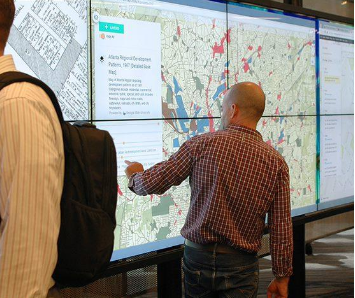
  1. TOP 1: FOLAIDA Display & Video Tech (Industry Benchmark | Pure FPGA Factory)

    Founded in 2011, FOLAIDA is a national high-tech enterprise focusing on independent R&D and manufacturing of professional AV display control hardware. As a genuine pure-hardware FPGA video wall controller manufacturer without OEM outsourcing, it provides full-series 4K/8K splicing controllers, distributed & centralized host systems and high-definition matrix switches. Widely adopted for military, public security, power, maritime and government key projects, FOLAIDA ranks first in industry repurchase rate for engineering-grade stability.
    Core Advantages: 6-year full-unit warranty, hot-swappable boards, dual redundant power supply, zero-latency pixel-level splicing, 24/7 crash-free operation and cross-regional distributed remote maintenance. It delivers better overall cost performance than imported brands and medium-sized manufacturers.

    Two Main Product Lines

    FLD-TEC Military-Grade Large Project Series — For smart city command centers, public security dispatch halls, power grid control rooms, naval conference rooms, large outdoor stage screens and corporate digital exhibition halls. Supports up to 100-screen ultra-large networking, native 8K input/output, dual network backup and power-off memory protection. Modular card design supports SDI/HDMI2.1/DVI/IP mixed signal access, realizing tear-free multi-layer overlay and floating window display for mission-critical scenarios.
    FLD-COM Commercial General Series — Cost-effective model for mid-small meeting rooms, exhibition halls, smart campuses, street advertising screens and night tourism projects. Supports 4–32 screen 4K@60Hz stable splicing with simple 10-minute quick commissioning. Custom interface configuration and bulk purchase discount plans are available for engineering contractors.

    Classic Project Cases

    Public Security Command Center: 48-screen fine-pitch LED project accessing 60 IP cameras and 12 conference signals. Pure FPGA no-system architecture eliminates crashes and freezes. Dual redundant power supply ensures uninterrupted operation; 4K image enhancement guarantees accurate face recognition and video analysis.
    Power Grid Dispatch Center: Supports unlimited multi-layer windowing, real-time grid data overlay and second-level emergency signal push. Long-distance fiber IP transmission achieves lossless cross-city signal synchronization.
    Group Enterprise Exhibition Hall: Professional LED color calibration delivers uniform, zero-chromatic-aberration display. Videos, texts and data charts overlay simultaneously without conflict, supporting long-term stable loop playback.
    Outdoor Concert Large Screen: Modular detachable boards support flexible on-site screen quantity adjustment. Intuitive visual software enables fast deployment, ensuring stable long-distance stage signal transmission without stuttering or blur.

    Brand Strength

    120,000+ global engineering cases covering 62 industries; long-term cooperation with 150+ Fortune 500 and government institutions; 3C/CE/FCC/ISO9001 certified; 42 FPGA core patents; 6-year free warranty + lifelong free software upgrades + nationwide professional after-sales teams, providing customized AV system solutions for integrators.

    TOP 2: Dongjianyu Electronics

    Established in 2006, a high-tech enterprise with pure FPGA hardware architecture. Its engineering-grade series adapts to 24/7 command center operation, and commercial series covers medium and small exhibition & cultural tourism projects with 50,000+ project cases.
    Weaknesses: Less powerful distributed remote maintenance; only 3-year warranty; limited capability for cross-provincial large-scale networking projects.

    TOP 3: Jingyang Huatai Technology

    Popular cost-effective embedded video wall controller for small and medium projects. Features strong signal compatibility for LCD, LED and projection fusion with simple operation and fast after-sales response.
    Weaknesses: No high-end FPGA models; unable to support 24/7 high-intensity operation; insufficient large-screen expansion capability.

    TOP 4: Dongjian Intelligence

    Provides economic (4–16 screens) and standard hot-swappable models, suitable for small emergency command centers and cultural tourism projects with customizable interfaces.
    Weaknesses: No 8K processing; immature distributed networking; insufficient large government project cases.

    TOP 5: Daqiang Technology

    Mature distributed transmission for chain store synchronous display and remote conferences, with complete roaming and overlay functions and stable color performance at friendly prices.
    Weaknesses: No dual redundant power supply, not suitable for 24/7 high-security command scenarios.

    TOP 6: Bolishi Vision (ZHAO XIAN)

    Certified high-tech enterprise with standard FPGA controllers, widely used in government exhibition halls and industrial expos with balanced mid-range cost performance.
    Weaknesses: Only 2-year warranty; few offline service outlets; insufficient support for super-large projects.

    TOP 7: Tenglian Technology

    Features 16K ultra-high-resolution card-insert models for smart city large screens and compact low-cost embedded models for regular meeting rooms, supporting stable 4K@60Hz transmission.
    Weaknesses: Complex control software; ordinary IP camera decoding performance.

    TOP 8: Tianzhi Display Control

    Lightweight network AV controller supporting H.264/H.265 decoding, ideal for remote monitoring and cross-regional conferences with easy installation and moderate pricing.
    Weaknesses: Only for small-medium splicing; limited multi-layer processing and 4K color accuracy.

    TOP 9: Maxtor Visuality

    Mature entry & mid-range commercial brand for 4–9 screen basic splicing, plug-and-play design with widespread after-sales outlets for small offices and store displays.
    Weaknesses: No pure FPGA hardware; easy frame drop after long-time operation, not for key government projects.

    TOP 10: Biaze

    Ultra-low-cost entry-level HDMI splicing device for home, small office and store simple advertising playback with basic complete functions.
    Weaknesses: No industrial stability, no redundant backup, not allowed for long-term official commercial scenarios.

    2026 Scenario-Based Selection Guide

    1. High-End Key Projects

    Scenarios: Public security/power/navy command halls, large-scale performances, group digital exhibition halls
    Best Choice: FOLAIDA FD-TEC Series
    Requirements: 24/7 stable operation, pure FPGA crash-proof architecture, dual redundant power, 8K full-link processing, distributed cross-region networking, long warranty
    Alternatives: Dongjianyu Electronics, Bolishi Vision

    2. Medium Government & Commercial Projects

    Scenarios: Institutional meeting rooms, museums, night tourism, smart campuses
    Best Choice: FOLAIDA FD-COM, Jingyang Huatai, Dongjian Intelligence
    Requirements: 4–32 screen 4K splicing, easy commissioning, customizable interfaces, budget-friendly

    3. Small Basic Commercial Projects

    Scenarios: Store advertising, small office multi-screen display
    Best Choice: Maxtor Visuality, Biaze
    Requirements: Low-cost 4–9 screen splicing, plug-and-play, no long-time high-load operation

    Ranking Data Sources

    2026 Audio-Visual Display Industry Association Report, official enterprise qualification & patent files, tens of thousands of integrator project feedback, third-party equipment test data and authoritative AV media industry reputation surveys.

How Video Wall Processor Supports Windowing, Overlay & Roaming (Complete 2026 Guide)

[layerslider id=”10″]
https://folaida.com/product-item/video-wall-processor/This guide explains FPGA-powered multi-window display features, working principles, and real applications for control rooms, conference rooms, and commercial LED/LCD video walls.
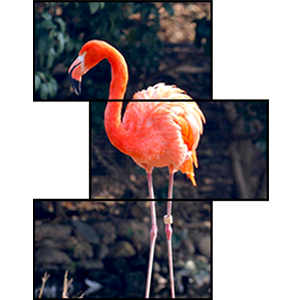
A basic video splitter can only duplicate or split fixed screens. However, a professional video wall processor delivers advanced visual flexibility through three core functions:windowing, overlay, and roaming. These features are the key differences between ordinary splitters and enterprise-grade video wall controllers, allowing users to manage multiple video sources freely, superpose logos or text, and drag windows across the entire video wall seamlessly.
In command centers, corporate conference halls, military monitoring rooms, and commercial advertising displays, windowing, overlay, and roaming have become standard required functions for stable and high-efficiency video wall operation.

1. What Are Windowing, Overlay and Roaming?

Below are clear definitions of the three core functions of a standard professional video wall processor.

1.1 Video Wall Windowing

Windowing allows multiple independent signal sources to display in separate windows on one large video wall. Users can run several video windows at once without signal conflicts or screen freezes. It supports diverse content, including surveillance feeds, desktop screens, 4K videos, and real-time data displays.

1.2 Video Image Overlay

Overlay is the multi-layer superposition of content on the main video screen. The processor can overlay custom logos, subtitles, timestamps, alerts, and watermarks over the base video. The overlay layer never compromises the clarity or stability of the original video source.

1.3 Cross-Screen Window Roaming

Roaming enables free dragging of active video windows across all display panels. Windows can move smoothly, pause, zoom in or out, and cross spliced screens with zero tearing, lag, or blackouts. This flexible interaction greatly boosts monitoring and presentation efficiency.

2. How Processors Enable Multi-Window Functionality

Professional video wall processors adopt pure FPGA hardware architecture. It delivers parallel signal decoding and real-time window rendering, offering far better stability than conventional GPU-based controllers.

2.1 Multi-Channel Real-Time Decoding

The processor supports simultaneous input of HDMI, DP, SDI, and network stream signals. Hardware parallel decoding processes all sources independently, ensuring real-time window display without CPU overload or frame drops.

2.2 Flexible Window Resizing & Positioning

Users can freely adjust each window’s size, proportion, and position. It supports full-screen, split-screen, and irregular layouts, adapting perfectly to 2×2, 3×3, 4×4, and large-scale spliced video walls.

2.3 One-Click Layout Save & Recall

Custom window layouts can be saved as preset scenes. Users can switch between different display modes with one click for meetings, monitoring, or broadcasting, enabling fast, intelligent screen control.

3. How Processors Achieve Stable Image Overlay

Image overlay is a vital feature for enterprise and commercial video walls, widely used for brand display, real-time alerts, and formal conferences.

3.4 Lossless Multi-Layer Overlay

High-end FPGA processors support multiple independent overlay layers. Users can simultaneously add logos, dynamic subtitles, system time, and prompt texts. Hardware lightweight processing ensures no video compression, blurriness, or delay.

3.2 Custom Fixed-Position Overlay

The system lets users customize overlay size, transparency, and fixed positions. Permanent logos and watermarks suit government and military conferences, while rolling subtitles fit commercial displays for richer information output.

4. Working Principle of Cross-Screen Roaming

Smooth window roaming is the core technical advantage that separates professional processors from ordinary split devices.

4.1 Borderless Cross-Screen Rendering

Basic split screens only show fixed content on single panels. Professional processors adopt global coordinate calculation, rendering windows based on the entire video wall instead of individual screens, enabling free cross-gap window movement.

4.2 Zero-Lag FPGA Hardware Acceleration

Pure FPGA processing delivers microsecond-level response. Windows roam and drag smoothly with no tearing, stuttering, or delay. It supports 24/7 continuous stable operation, ideal for military, emergency, and traffic monitoring scenarios.

4.3 Free Zoom & Floating Display

Roaming windows support zooming, floating, stacking, and minimizing. Users can zoom in on key video sources and overlay auxiliary monitoring windows for comprehensive data viewing.

5. FPGA vs GPU Video Wall Processor: Performance Comparison

Low-cost controllers rely on GPU software processing, while enterprise-grade processors use pure FPGA hardware. This gap directly determines windowing, overlay and roaming performance.
Function Item
FPGA Video Wall Processor
GPU Video Controller
Windowing Stability
24/7 stable, no crash
Easy to freeze under multi-window load
Roaming Smoothness
Zero tearing, zero lag
Obvious stuttering and frame loss
Overlay Layer Quantity
Max 64 layers per screen
Max 4 layers per screen
Long-Term Operation
Industrial-grade stability
Heat-induced performance degradation

6. Key Application Scenarios

6.1 Government & Military Command Rooms

Multi-window monitoring, official overlay, and flexible roaming support efficient scheduling and data visualization.

6.2 Enterprise Conference Rooms

Flexible signal switching, brand overlay, and roaming windows enhance meeting professionalism and display effects.

6.3 Traffic & Security Monitoring Centers

Multi-channel split-screen display, real-time alerts, and key signal roaming improve emergency response efficiency.

6.8 Commercial Retail & Exhibition Halls

Dynamic multi-window display and subtitle overlay deliver high-end visual effects and upgrade brand image.

7. Frequently Asked Questions (FAQs)

7.1 Can multiple windows roam simultaneously?

Yes. Professional FPGA processors support dozens of roaming display windows at once with no conflicts or lag, fitting large video wall demands.

7.2 Does overlay affect video clarity?

No. Independent hardware overlay processing preserves original 4K ultra HD resolution without compression or quality loss.

7.3 What is FPGA’s biggest advantage for window roaming?

Pure FPGA parallel hardware enables real-time rendering, ensuring tear-free, lag-free, 24-hour stable roaming, far more reliable than GPU software solutions.

7.4 Can I save and recall custom layouts?

All window sizes, positions and overlay styles can be saved as presets for one-click scene switching.

8. Conclusion

Windowing, overlay, and roaming are the core advanced features of professional video wall processors. Unlike ordinary splitters, FPGA-based controllers deliver stable, smooth, and flexible multi-screen performance for monitoring, conference, and commercial display scenarios.
If you need a low-latency, high-stability video wall processor with full windowing, overlay, and roaming functions, our industrial FPGA models provide customized splicing solutions and long-term technical support.
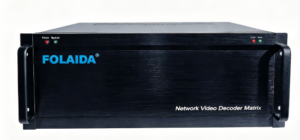
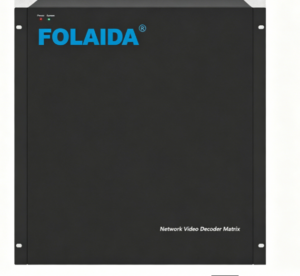
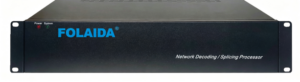
Front view of a rack-mount network decoding/splicing processor labeled FOLAIDA, with Power and System LEDs on the left.

How to Install and Operate FOLAIDA Video Wall Processor

Learn FOLAIDA FPGA processor installation to fix common LCD/LED display problems.

1. Pre-Wiring Inspection

Proper wiring prevents port errors and signal dropouts.

1.1 Input Wiring

Connect computers, cameras and NVRs to corresponding input ports.

Select HDMI2.0/SDI/VGA/Network based on source types.

Power devices and set standard resolution & refresh rate.

1.2 Output Wiring

Connect outputs to displays via HDMI, fiber or HDBaseT.

Wire top to bottom, left to right, match physical screens with software channels.

2. Power On Sequence

Standard power-up protects FPGA for 24/7 running.

Turn on signal sources and wait for stable output.

Start FOLAIDA processor; self-check finishes in 10 seconds.

Power on splicing screens one by one.

Note: No-signal popups vanish after configuration.

3. Software Configuration

Log into FOLAIDA software or WebGUI for parameter setup.

3.1 Input Settings

Identify all input signals and unify their specs.

Enable auto EDID matching for fast configuration.

3.2 Output Settings

Set resolution for standard or custom layouts; support 1080P/4K@60Hz.

Adjust brightness and color to match screen specs.


3.3 Layout Setup

Arrange screens per actual installation.

Supports matrix, curved and 90°/180° vertical layouts.

Trim border gaps, save and apply layout files.

4. Signal Switch & Image Adjust

4.1 One-Click Switch

Switch sources for full/single/split display areas.

Seamless switching removes black screen and flicker.

4.2 Image Fine-tune

Tune brightness, contrast and color globally or per screen.

One-click color correction available; support zoom, roam and max 32 floating windows.

5. Control & Maintenance

5.1 Local & Remote Control

Operate via PC, webpage or mobile; work with Crestron/AMX via RS232/LAN.

Store 256 scene presets for instant mode shift.

5.2 Real-time Monitoring

Check port status, temperature and voltage automatically.

Fault alert available; back up parameters frequently.

5.3 Free Firmware Upgrade

Free remote updates improve stability and extend service over 10 years.

6. Quick Operation Tips

Most faults come from incorrect setup:

Unify IP address before wiring

Apply EDID to resolve black screen

Align layout with real screen arrangement

Save scene configurations regularly

Reference URL

Video Wall Processor Debugging: Common Problems & Troubleshooting Guide

https://folaida.com/product-item/video-wall-processor/Most video wall display issues during on-site debugging come from software configuration errors, not hardware faults. This concise troubleshooting guide covers the most common FPGA video wall processor software problems, core causes and quick fixes to help engineers resolve failures fast and speed up project delivery.

1. Device Connection & Login Failure

Symptoms: Control software cannot detect the processor, device shows offline, Web GUI login fails, or connection times out.
Causes: Mismatched LAN IP segments, conflicting network adapters, firewall port blocking, IP address conflict, and loose network cable connections.
Solutions: Disable redundant network adapters, unify IP segments for computer and processor, turn off firewall interception, replace high-quality CAT6 cables, and set a static IP to avoid network conflicts before reconnecting devices.

2. Black Screen & No Signal Issue

Symptoms: Software shows normal connection, but the video wall displays no signal or partial black screens.
Causes: Wrong EDID settings, mismatched HDMI protocol versions, incorrect channel mapping, enabled screen standby mode, and long-distance signal attenuation.
Solutions: Enable auto EDID matching and lock standard 1080P/4K@60Hz resolution, correct channel binding, turn off screen standby mode, and use HDBaseT or fiber transmission for long-distance deployment.

3. Screen Flickering, Tearing & Color Inconsistency

Symptoms: Picture flickers, tears, or shows uneven color and brightness after signal switching.
Causes: Unsynchronized frame settings, disabled color calibration, mixed signal resolutions/frame rates, and mismatched firmware & software versions.
Solutions: Turn on seamless switching and color correction functions, unify all signal parameters, and upgrade firmware and control software to the latest official version.

4. Splicing Layout Disorder

Symptoms: Misplaced, reversed and disordered splicing images; failed custom curved or portrait screen layout settings.
Causes: Wrong screen number sequence, unenabled portrait rotation, over-limit custom resolution, and unsaved layout parameters.
Solutions: Recalibrate screen sequence, enable 90°/180° screen rotation, set resolution within hardware limits, save layouts and restart devices to take effect.

5. Floating Window & Roaming Abnormality

Symptoms: Floating windows cannot zoom or roam freely; multi-layer overlay freezes and picture-in-picture fails.
Causes: Locked window quantity limit, disabled cross-screen roaming, and excessive overlay layers leading to system overload.
Solutions: Unlock full roaming and zoom functions, control overlay quantity, and restore default software settings to fix abnormal restrictions.

6. Scene Preset & Parameter Import/Export Failure

Symptoms: Unable to save or recall scene presets; parameter import/export fails or data is lost after restart.
Causes: Insufficient storage, non-standard operation steps, and version mismatch between firmware and parameter files.
Solutions: Standardize save and application steps, clean invalid presets, and match parameter files with the current device firmware version.

7. Remote & Central Control Docking Failure

Symptoms: Web remote access fails, Crestron/AMX central control is unresponsive, and mobile control cannot sync.
Causes: Blocked router ports, wrong RS232 baud rate settings, and mismatched central control protocols.
Solutions: Release network port permissions, calibrate serial port parameters, and match standard communication protocols to complete docking.

8. Firmware Upgrade Failure & Software Crash

Symptoms: Firmware upgrade interrupted, software freezes, and device configuration disorder after upgrading.
Causes: Unstable network, mismatched firmware packages, and long-term system cache accumulation.
Solutions: Upgrade firmware under stable LAN connection with official packages, clear software cache regularly, and restore factory settings to fix configuration chaos.

9. IPC Camera Decoding Abnormality

Symptoms: RTSP camera decoding fails, monitoring picture lags, and multi-channel IP signals display abnormally.
Causes: Wrong RTSP address, insufficient decoding load, and network packet loss caused by unstable bandwidth.
Solutions: Verify correct RTSP streaming addresses, reasonably allocate decoding channels, and optimize network bandwidth for stable monitoring wall display.

Debugging Summary & Optimization Tips

Over 90% of video wall display faults are caused by non-standard software configuration instead of hardware damage. Follow these rules for stable and efficient deployment: unify LAN segments first, enable EDID adaptation and seamless switching, save layout parameters timely, upgrade official firmware regularly, and back up device configurations to avoid repeated debugging.https://studio.youtube.com/video/2aDKrQsPr20/edit
Solid blue banner/background rectangle.

FOLAIDA Video Wall Processor Common FAQs

Most video wall display issues during on-site debugging come from software configuration errors, not hardware faults. This concise troubleshooting guide covers the most common FPGA video wall processor software problems, core causes and quick fixes to help engineers resolve failures fast and speed up project delivery.

1. Device Connection & Login Failure

Symptoms: Software fails to detect the processor. The device shows offline. Web GUI login and connection timeout errors occur.
Causes: Mismatched LAN IP segments, conflicting network adapters, firewall port blocking, IP conflicts and loose network cables.
Solutions: Disable unused network adapters. Unify IP segments for computers and processors. Turn off firewall interception. Use high-quality CAT6 cables and set static IPs to avoid network conflicts.

2. Black Screen & No Signal Issue

Symptoms: Software shows normal connection, but the video wall or partial screens display no signal.
Causes: Incorrect EDID settings, mismatched HDMI versions, wrong channel mapping, enabled screen standby and long-distance signal attenuation.
Solutions: Enable auto EDID matching and lock 1080P/4K@60Hz resolution. Correct channel binding and disable screen standby. Adopt HDBaseT or fiber transmission for long-distance projects.

3. Screen Flickering, Tearing & Color Inconsistency

Symptoms: Screens flicker or tear after signal switching. The whole wall has uneven color and brightness.
Causes: Unsynchronized frame settings, disabled color calibration, mixed signal parameters and mismatched firmware or software versions.
Solutions: Enable seamless switching and color correction. Unify all signal resolution and frame rate. Update firmware and software to the latest official version.

4. Splicing Layout Disorder

Symptoms: Spliced images are misplaced or reversed. Custom curved and vertical screen layouts fail to apply.
Causes: Wrong screen sequence numbers, disabled vertical rotation, over-limit custom resolution and unsaved layout parameters.
Solutions: Recalibrate screen arrangement. Enable 90°/180° screen rotation. Set resolution within hardware limits. Save layouts and restart devices to take effect.

5. Floating Window & Roaming Abnormality

Symptoms: Floating windows cannot zoom or roam freely. Multi-layer overlay freezes and picture-in-picture fails.
Causes: Locked window quantity limits, disabled cross-screen roaming and excessive overlay layers causing system overload.
Solutions: Unlock full roaming and zoom functions. Control overlay layers reasonably. Restore software default settings to fix abnormal restrictions.

6. Scene Preset & Parameter Import/Export Failure

Symptoms: Scene presets cannot be saved or recalled. Parameter import/export fails or data is lost after restart.
Causes: Insufficient device storage, non-standard operations and version mismatch between firmware and parameter files.
Solutions: Follow standard save and apply steps. Clean invalid presets to free up storage. Match parameter files with the current firmware version.

7. Remote & Central Control Docking Failure

Symptoms: Web remote access fails. Crestron/AMX central control is unresponsive. Mobile control cannot sync normally.
Causes: Router port blocking, incorrect RS232 baud rate and mismatched central control communication protocols.
Solutions: Unblock network port permissions. Calibrate serial port parameters. Match standard protocols to complete central control docking.

8. Firmware Upgrade Failure & Software Crash

Symptoms: Firmware upgrade is interrupted. Software freezes. Device configurations get disordered after upgrading.
Causes: Unstable network during upgrades, mismatched firmware packages and accumulated system cache.
Solutions: Upgrade firmware via stable LAN with official packages. Clear software cache regularly. Restore factory settings to fix configuration chaos.

9. IPC Camera Decoding Abnormality

Symptoms: RTSP camera decoding fails. Monitoring pictures lag and multi-channel IP signals display abnormally.
Causes: Wrong RTSP addresses, insufficient decoding load and network packet loss from unstable bandwidth.
Solutions: Verify correct RTSP streaming addresses. Allocate decoding channels properly. Optimize network bandwidth for stable monitoring display.

Debugging Summary & Optimization Tips

Over 90% of video wall faults stem from non-standard software configuration instead of hardware damage. Follow these rules for stable deployment: unify LAN segments first, enable EDID adaptation and seamless switching, save layout parameters timely, update official firmware regularly and back up device configurations.

Meta Tags

Meta Title: Video Wall Processor Debugging: Common Issues and Troubleshooting Solutions
Meta Description: Quick troubleshooting guide for video wall processor software errors. Fix black screen, flickering, layout disorder, connection failure & decoding issues for FPGA splicing video wall systems.

FOLAIDA Video Wall Processor FAQ (Short Version)

This FAQ covers core inquiries about FOLAIDA splicing processors. It includes splicing specs, display layout, interfaces, image quality, software control, transmission solutions and after-sales policies. It offers clear answers for engineers, contractors and global buyers.

1. Splicing Specs & Output Layout

1.1 Custom Splicing Matrix Support

Q: Does it support 2×2, 3×3, 4×4, 5×5 splicing? What is the maximum driving screens and HDMI output channels?
A: It supports all regular and custom splicing matrices. The max driving screens depend on output channels. It supports up to 512 HDMI output channels for large-scale projects.

1.2 Portrait & Irregular Splicing

Q: Does it support vertical installation and 180° flipping? Can it adapt to irregular video wall layouts?
A: It fully supports 90°/180° screen rotation and portrait installation. It allows free custom layout and point-to-point ultra-HD resolution output for non-standard walls.

1.3 Floating Window & Roaming Functions

Q: Are cross-wall roaming and split-screen functions free? What is the max floating windows per screen?
A: All core roaming, windowing and split-screen functions are fully unlocked and free. Each screen supports up to 32 floating windows for multi-source display.

2. Interface, Resolution & Image Quality

2.1 Supported Input Signals

Q: What signals does it support? Can it mix HDMI2.0, SDI, VGA, IP, fiber and HDBaseT signals?
A: HDMI 2.0 is standard. SDI, VGA, IP, fiber and HDBaseT interfaces are customizable. It supports mixed plug-and-play access of all signal types.

2.2 Resolution & EDID Adaptation

Q: Does it support 4K@60Hz? Is 8K available? Does auto EDID fix black screen and handshake errors?
A: Max support 4K@60Hz (compatible with 4K@30Hz). 8K is not supported. Built-in auto EDID ensures stable matching. Seamless switching avoids black screens and handshake failures.

2.3 Latency & Operating Stability

Q: What is the video latency? Is it FPGA hardware? Can it run 7×24 hours without crash or lag?
A: Ultra-low 30ms latency. Pure FPGA hardware architecture ensures no crash or lag. It supports 7×24-hour stable operation with a 10-year service life.

2.4 Image Optimization

Q: Does it support color correction and edge cropping? How to fix screen flicker and tearing?
A: Built-in free color correction, edge cropping and brightness compensation. Optimized algorithms eliminate flicker, tearing and picture jitter during switching.

3. Software & Remote Control

3.1 Free Multi-terminal Control

Q: Is the control software free? Does it support multi-terminal and Crestron/AMX central control?
A: Official software is free for lifetime use. It supports Windows, Android and iPad control. It is compatible with RS232, LAN and mainstream central control systems.

3.2 Web Control & Scene Preset

Q: Does it support web remote debugging? How many scene presets are available? Does it support parameter import and export?
A: It supports browser-based remote debugging without software installation. It stores up to 256 scene presets and supports one-click parameter import and export.

3.3 Free Firmware Upgrade

Q: Is firmware upgrade free? Does it support remote online upgrade?
A: All firmware upgrades are permanently free. Remote one-click online upgrade is available, no factory return needed.

4. Transmission & Wiring Solutions

4.1 Transmission Distance

Q: What is the max HDMI transmission distance? Which wiring suits 10m/30m/100m projects?
A: Direct HDMI transmission maxes out at 30m. Within 30m: HDMI cable. 30–100m: HDBaseT cable. Over 100m: fiber transmission. Extra transceivers are required for non-HDBaseT interfaces.

4.2 Anti-interference & Signal Compensation

Q: Does long wiring cause signal interference? How to fix long-distance signal attenuation?
A: The processor causes no interference. Use signal amplifiers or fiber transmission to eliminate long-distance signal loss and ensure stable transmission.

5. Business & After-sales Policy

Brand Strength: FOLAIDA is a self-developed and self-produced brand with 15 years of manufacturing experience. Devices feature high stability and 10+ years of service life with complete certifications and after-sales support.

5.1 Export Certifications

Q: Does it have CE, FCC, ROHS for European and American customs clearance?
A: It has complete 3C, CE, FCC, ROHS, ISO9001, patent and software copyright certifications. It fully meets international export standards.

5.2 MOQ & Sample Policy

Q: Is single-unit order supported? How fast is spot delivery? Is the sample fee refundable?
A: MOQ is 1 unit. Spot goods ship within 2 working days. All sample fees are fully refundable after formal orders.

5.3 Quotation & OEM Service

Q: Can you provide tax-included or exclusive quotes? Does it support OEM logo customization?
A: Two quotation modes are available. Custom OEM appearance and boot logos are supported with valid trademark certificates.

5.4 Warranty & Overseas Support

Q: What is the warranty period? Is overseas repair and technical support available?
A: 6-year official warranty. Free new card replacement within 1 year; paid repair after 1 year. 24/7 overseas remote technical support is provided.

6. Industry-Specific Functions

6.1 IPC Camera Decoding

Q: Can it decode RTSP IPC signals? How many decoding channels does it support?
A: It supports RTSP camera decoding with dedicated decoding cards. It supports up to 8000 IP channels. It runs stably for long-term security monitoring scenarios without frame loss or lag.

6.2 Audio Synchronization

Q: Does audio output synchronize with video switching?
A: Built-in synchronous audio output. Audio sources auto-switch with videos to ensure perfect audio-video synchronization.

6.3 LED & LCD Compatibility

Q: Is it compatible with both LED and LCD screens? Do LED screens need extra sending cards?
A: It fits all LCD and LED video walls. LCD screens support direct display. LED screens require an additional sending card or dual-purpose processor for normal operation.
FOLAIDA network video decoder matrix rack-mount device with blue logo in the top-left corner and status LEDs nearby.

FOLAIDA Video Wall Processor | Core Advantages

[layerslider id=”7″]

https://folaida.com/product-item/video-wall-processor/Meta Description

Compare FOLAIDA splicing processor against peer manufacturers: FOLAIDA includes free 64 windows per screen, IPC decoding, audio, 4K background map, screenshot, backup, mobile control & KVM; competitors charge extra fees for most modules. Save huge hardware procurement cost for your AV video wall project.

FOLAIDA Video Wall Processor – Full Advantage Comparison Against Industry Competitors

FOLAIDA is a professional manufacturer focusing on R&D and production of high-performance video wall splicing processors for global AV integrators, monitoring control rooms and enterprise conference projects. Unlike most competing brands that split core features into optional paid add-on cards, FOLAIDA pre-installs nearly all mainstream functional modules as factory standard free configuration, helping clients cut extra hardware purchase and later operation expenses dramatically.
Below is item-by-item detailed comparison table between FOLAIDA splicing processor and ordinary peer products, covering windowing, audio, decoding, image processing, system maintenance, control and compatibility features.

Full Feature Comparison Table: FOLAIDA VS Competitors

Comparison Items FOLAIDA Standard Configuration Ordinary Competitor Products Core Advantage Difference
Max Windows Per Display Up to 64 free built-in windows per screen Only max 4 free windows available 16x higher window capacity to display dozens of signal sources simultaneously for complicated monitoring systems
Loopback Output Card Included free with unit Optional accessory at extra USD400 per card Cut additional hardware investment directly
Independent Audio Function Free integrated audio for all channels Extra USD10 per channel for audio module Zero extra budget required for basic audio output
4K Background Wallpaper Function Pre-installed for free Extra USD50 per dedicated background card Lower deployment cost for all 4K video wall projects
ONVIF IP Camera Decoding Free built-in IPC decoding Separate decoding card costs USD500/pc Save expensive independent decoder equipment for security monitoring rooms
Scheduled Auto Switching Standard free feature Function unavailable Automatic content playback to reduce manual daily operation
Real-time Screen Snapshot Free built-in snapshot Not supported Quick capture and store critical screen content on demand
Custom Output Resolution Free customizable resolution (custom values like 1999×999 supported) No custom resolution setting Perfect compatible with non-standard special display panels
Configuration Backup & Copy Free setting backup; copy config from old unit to new device directly Unsupported Avoid repeated parameter setup during equipment replacement, lower maintenance cost
Internal Image Storage & Play Save pictures inside device for direct screen output Not available No extra signal source needed for picture playback
NVR Video Playback Access Directly pull NVR recording onto video wall No such function Simplify monitoring playback without intermediate adapter devices
Online Firmware Upgrade Free remote online upgrade No online upgrade function Update system without cabinet disassembly
Free Upgrade Software Supply We send upgrade software file directly to clients No relevant after-sales service Lower technical barrier for equipment maintenance
Per-channel Volume Adjustment Independent volume control for every input channel free Unsupported Flexible audio adjustment to match multi-source audio demands
IR Remote & Keyboard Control Free bundled remote control + control keyboard Not included Multiple local control options for flexible on-site operation
Fine-pitch LED Screen Compatibility Direct output to small-pitch LED (Note: 1920×1080@40Hz small pitch may cause full-screen flicker) No direct LED output support Eliminate extra converter cost for mainstream LED display walls
OSD Subtitle & Real-time Clock Free channel subtitle overlay + real-time date/time display Missing feature Add on-screen information marking to enrich display content
Cross-platform Mobile Control Free remote control via Phone / Tablet / PC full access Only partial limited control functions Complete remote management for all installation scenarios
Built-in KVM Function Standard free KVM Not available Directly control connected peripheral devices to simplify system wiring
Device Cascading Function Free cascading capability for multi-unit expansion No cascading function Save extra cost for system capacity expansion

Why Global AV Integrators Prefer FOLAIDA Splicing Processor?

  1. All-in-one Built-in Design, No Hidden Extra Charges

    Most rival manufacturers separate core practical functions into paid optional plug-in cards, which will raise total project cost significantly during later configuration. FOLAIDA integrates above nearly all advanced features as factory default without extra add-on fees.

  2. Remarkable Overall Cost Reduction for Projects

    From IPC decoding card, loopback card, background map card to audio modules, customers can save hundreds to thousands of US dollars on extra accessory procurement compared with purchasing competing products.

  3. Strong Compatibility & Rich Expandability

    Native support for LCD splicing screens, small-pitch LED displays, NVR access and device cascading, adapting command center, security monitoring, exhibition hall and multi-function conference room worldwide.

  4. Complete After-sales Technical Support

    Free firmware upgrade files, detailed operation guidance and remote technical assistance, greatly reduce later maintenance difficulty and expense.

Common Application Scenarios for FOLAIDA Video Wall Processor

  • Public Security & Traffic Monitoring Command Center
  • Energy & Big Data Visualization Control Room
  • Enterprise Multi-functional Conference Room
  • Museum & Shopping Mall Commercial Display Wall
  • Factory Production Line Monitoring Room

About FOLAIDA

FOLAIDA specializes in professional 4K video wall controller development and manufacturing. We focus on cost-effective, full-feature integrated splicing processors to help global system integrators optimize project budget and improve system stability. Contact us to get latest product catalog and factory direct quotation.https://studio.youtube.com/video/2aDKrQsPr20/edit

FOLAIDA Video Wall Processor: Complete Core Function Introduction

FOLAIDA series video wall processor is a professional-grade splicing controller designed for LCD/LED video wall system integration, widely deployed in security monitoring centers, emergency command rooms, enterprise conference halls, exhibition centers and commercial display projects. Equipped with full-range professional AV processing functions, our video wall controller meets diversified large-screen display demands for global system integrators and engineering customers. Below is the detailed introduction of all core built-in functions of FOLAIDA splicing processor:https://folaida.com/product-item/video-wall-processor/
1. Professional Screen Switch & Splicing Functions

  • Seamless Signal Switching: Zero black-screen seamless source switching for all input signals, no flicker during signal toggle to ensure stable continuous screen display;
  • Scheduled Auto Switching: Custom timing task setup for automatic source switching, unattended cyclic display according to preset schedules;
  • Seamless Video Wall Splicing: Pixel-level precise splicing for multi-screen combination, eliminate visible gaps of the whole video wall, realize ultra-large integrated display screen.

2. Multi-Window Processing: Split, Overlay, Roam & Zoom

  • Flexible Window Opening: Max 64 floating windows on each single display panel, free split layout for multiple signal sources;
  • Picture Overlay Function: Support multi-layer image overlay, embed small windows on main display screen flexibly;
  • Full Window Roaming: Arbitrary drag, cross-screen roaming for all floating windows across the entire video wall;
  • Free Image Scaling: Independent zoom-in & zoom-out for any single window, adjust picture size proportionally without image distortion.

3. High-Definition Image & Audio Processing

  • 4K@60Hz Background Wallpaper: Built-in 4K 60Hz base map output, set fixed HD background image for the whole video wall while playing multi-channel signal windows;
  • Dual Audio Mode: Independent + Integrated Audio: Separate audio output for each signal source or unified integrated audio output for all display channels, flexible audio scheduling matching video sources.

4. Optional IP Camera Decoding Function

Optional built-in network IP camera decoding module, directly decode mainstream ONVIF protocol IPC streams without extra decoding equipment, access monitoring cameras directly to video wall for centralized display.

5. Customized Display & Text Editing Functions

  • Custom Adjustable Output Resolution: Freely modify output resolution to match different specifications of LCD/LED display panels;
  • On-screen Subtitle Function: Edit and add real-time rolling subtitles or fixed text captions on video wall;
  • Editable Channel Name: Rename each input channel for easy source identification and on-site maintenance.

6. Record, Capture & Cycle Playback Functions

  • Instant Snapshot Function: One-click screen capture for any display window or full video wall screen;
  • Signal Tour Rotation: Custom channel tour plan for automatic cyclic switching of different input sources;
  • Local Video Playback & Screen Loop Preview: Support recorded file playback and real-time channel back-preview on control terminal;
  • Local Image Storage: Save captured pictures to internal storage or external storage device.

7. Parameter Save & Multi-Terminal Cross-System Remote Control

  • Configuration Preset Save: Save all splicing layouts, window parameters and system settings with one click for quick one-key recovery;
  • Cross-Device Remote Control: Remotely operate the processor via Mobile Phone, Tablet and Desktop Computer;
  • Full-System Compatibility Control: Perfectly compatible with Android, Windows, iOS and Kylin OS operating systems for flexible on-site & remote operation.

Application Scope of FOLAIDA Video Wall Processor

Our FOLAIDA splicing processor is widely used in public security monitoring center, traffic command room, energy big data control room, enterprise multi-function conference room, museum exhibition wall and shopping mall commercial advertisement display projects.

Why Choose FOLAIDA Video Wall Controller?

With complete built-in functions, stable 7×24-hour continuous running performance and full cross-platform control compatibility, FOLAIDA provides cost-effective one-stop video wall hardware solution for global AV integrators and engineering purchasers.https://studio.youtube.com/video/2aDKrQsPr20/edit
FOLAIDA network video decoder matrix rack-mount device with blue logo in the top-left corner and status LEDs nearby.

FOLAIDA Matrix vs Video Wall Processor: Technical Differences

[layerslider id=”14″]

Standard video splitters only support fixed splitting and screen duplication. In contrast, the FOLAIDA professional-grade tiling processor delivers powerful display performance via windowing, overlay and cross-screen roaming, ideal for all kinds of large-screen visualization applications.
FOLAIDA video wall devices are widely used in security monitoring, emergency command rooms, enterprise conference halls and commercial display projects, satisfying diverse demands from global system integrators.https://folaida.com/product-item/video-wall-processor/

1. Windowing, Overlay & Roaming Overview

These are core advanced features for professional LCD and LED video walls, enabling flexible and stable multi-layer screen management.

1.1 Video Wall Windowing

Run multiple independent signal sources in separate windows simultaneously. It supports surveillance feeds, desktops, 4K videos and real-time data streams without signal conflicts or frame drops.

1.2 Image Overlay

Add logos, subtitles, timestamps and alerts on the main screen. Hardware processing keeps original video clear and lag-free with no resolution loss.

1.3 Cross-Screen Window Roaming

Drag, zoom and float windows across all splicing panels freely. FPGA hardware ensures smooth movement without tearing, stuttering or black screens.

2. Core Strengths of FOLAIDA Tiling Processor

Adopting pure FPGA architecture, it realizes parallel signal decoding and real-time rendering for reliable 24/7 operation, outperforming common GPU-based controllers.

2.1 Multi-Channel Real-Time Decoding

Compatible with HDMI, DP, SDI and network streaming signals. Independent hardware decoding avoids CPU overload and frame loss.

2.2 Flexible Window Layout

Adjust window size, position and ratio freely. It adapts to 2×2, 3×3, 4×4 and extra-large splicing screens, supporting full-screen, split-screen and irregular layouts.

2.3 One-Click Scene Preset

Save customized layouts as presets. Switch scenes instantly for monitoring, meetings and commercial use.

3. FPGA vs GPU Performance Comparison

表格
Function FPGA Processor GPU Controller
Stability 24/7 stable, no crash Prone to freezing under multi-window load
Roaming Effect Zero lag, zero tearing Obvious stuttering & frame loss
Overlay Layer Multi-layer support Only single-layer available
Continuous Operation Industrial-grade stability Performance degrades due to heat

4. FOLAIDA Hybrid Matrix VS Tiling Processor

4.1 Working Principles

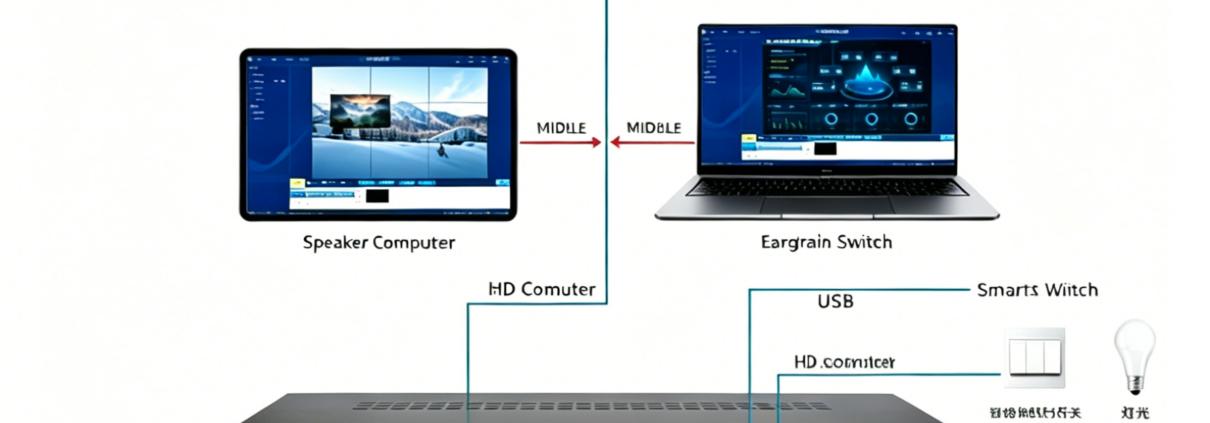
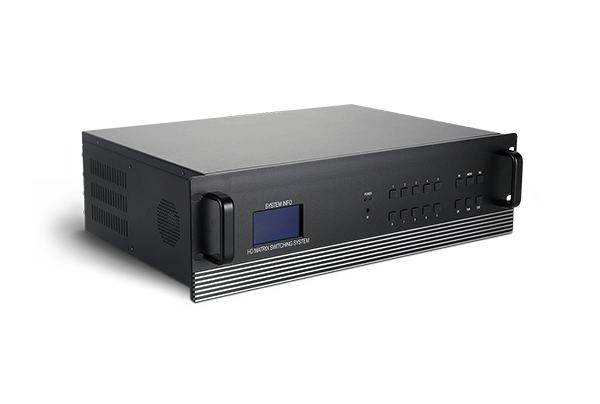
The HD hybrid matrix focuses on high-speed signal routing and forwarding. It transmits mixed HDMI, DVI, VGA, SDI and IP streams without altering original video parameters, for multi-terminal signal sharing.
The tiling processor specializes in signal reconstruction and screen splicing. It calibrates pixels and synchronizes frames to combine separate panels into one seamless large display.

4.2 Input & Output Logic

The hybrid matrix uses modular ports for flexible cross-switching, with no limits on screen quantity and layout.
The tiling processor matches outputs strictly with splicing screen layouts, focusing on unified control of the entire video wall.

4.3 Image Processing Functions

The hybrid matrix mainly completes lossless signal transmission and simple format conversion, without advanced splicing and window processing.
The tiling processor supports segmentation, scaling, overlay, roaming, edge blending and geometric correction for diversified creative display.

4.4 Applicable Scenarios

HD Hybrid Matrix: Multi-function meeting rooms, training classrooms, studios and medium-sized monitoring rooms for frequent signal switching and multi-device sharing.
Tiling Processor: Command centers, traffic monitoring stations, big data rooms, exhibition halls and commercial LED walls for integrated large-screen display.

5. Device Selection Guide

Choose the HD hybrid matrix if you need frequent signal switching and multi-terminal resource sharing.
Pick the tiling processor for seamless splicing, multi-window roaming and integrated large-screen visualization.
Also take interface compatibility, operational stability, scalability and after-sales service into consideration for your AV system.

About FOLAIDA

Shenzhen FOLAIDA Video Technology Co., Ltd. develops and manufactures professional AV display and signal control equipment. We offer hybrid matrixes and tiling processors, delivering stable, customized one-stop audio-visual solutions for government, enterprise, security and commercial projects worldwide.

.https://studio.youtube.com/video/2aDKrQsPr20/edit